Commercial disclosure: We may earn a commission if you purchase through certain links on this page, at no additional cost to you.
A dedicated MOES smart home control panel is justified only when a fixed, always-accessible household interface is valuable enough to outweigh wiring, installation, ecosystem and replacement costs. The current 5-inch U.S.-named MOES panel requires a neutral wire, and the 10.1-inch listing has separate region/version selections. A phone, simple scene button or tabletop display often solves the daily control problem with less work. Verify the exact device list and physical installation before buying a wall panel.
Choose the interaction—not the screen size
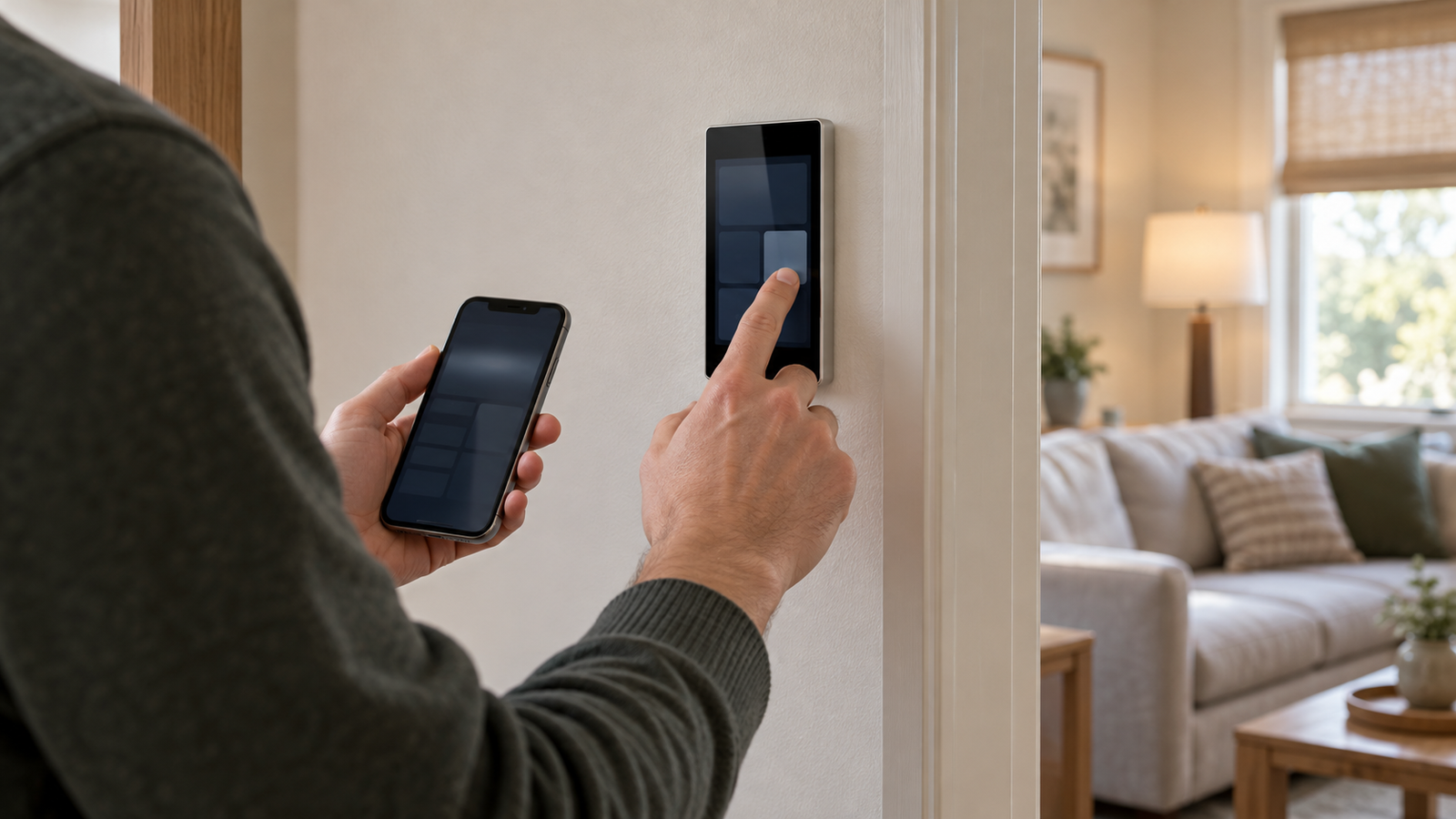
What will a person actually do at the panel? A wall-mounted screen is convenient for guest and family routines, but it can be overkill for a two-action hallway scene. It can also be a poor choice if occupants prefer tactile controls, the screen is placed too high or low, or essential functions disappear during a service outage.
The practical test: name three recurring actions that should be possible without hunting for a phone. Examples might be turning off the downstairs lights, adjusting supported shades and viewing a supported doorbell camera. If these cannot be demonstrated on the intended screen model and ecosystem, the panel’s advertised hub function does not rescue the purchase.
| Actual household need | Least-complex option to test first | Reason a dedicated MOES screen might be better |
|---|---|---|
| One or two scene triggers by the door | Tactile scene button, or suitable existing wall switch | Labeled multi-room controls, if occupants will use them. |
| Personal control for the homeowner | Phone with existing supported apps | Shared controls for guests, children or household members without the account. |
| Several rooms and favorite device groups | Existing smart display or hub dashboard | Always-visible controls, wall location and Tuya scene integration, if supported. |
| Intercom, cameras and automation hub combined | Specialized doorbell display or existing video display | Only when exact intercom/camera and gateway functions are verified on the purchased SKU. |
Two MOES panels, two different installation decisions
MOES product names span substantially different hardware. The 5-inch Smart Control Panel L page specifies model TPP05-Z(US), Wi-Fi plus Zigbee, 100–240 V AC and a neutral-wire requirement. Its built-in Alexa and ability to manage Tuya Zigbee devices are vendor claims, not a verified claim that every third-party Zigbee device pairs or that every feature works without the internet.
The 10.1-inch Control Panel Max lists Wi-Fi, Bluetooth and Zigbee, an FHD touchscreen and camera/intercom functions. But its displayed SKU uses an EU suffix while the page offers EU/US version selections. Do not carry the displayed SKU’s power, mounting, certification or region-specific accessories to the US selection without the actual US model datasheet. The listing mentions USB-C as an alternative power option in feature copy while also stating neutral required; those conditions need model- and installation-specific clarification, not an assumption that it is universally plug-and-play.
| MOES listing / decision point | Documented listing claim | What remains to be checked before US installation |
|---|---|---|
| 5-inch panel — TPP05-Z(US) | Wi-Fi + Zigbee; neutral required; 100–240 V, 50/60 Hz; specific light-load ratings | Exact US wallbox fit, wiring, NRTL-listed identity/certification, connected load and supported devices. |
| 10.1-inch Control Panel Max | Wi-Fi + Bluetooth + Zigbee; FHD screen; camera/intercom; EU and US selectors | Orderable US model/SKU, physical base and power method, display/integration permissions and app dependencies. |
| Any advertised built-in Zigbee gateway | Seller describes Tuya ecosystem/device pairing | Supported Zigbee device types, maximum device count under the actual firmware, local operation and migration if panel fails. |
Do not wire a wall panel based only on a wide input-voltage range or a “US” product name. Have a qualified local electrician assess the actual circuit, neutral conductor, wallbox and listing/label for the exact unit. The UL Solutions Product iQ information describes how certifications can be checked; no certification entry for these MOES SKUs was independently confirmed in this review. If that cannot be established to the installer’s satisfaction, use a non-hardwired alternative.
A screen is not automatically a universal hub
“Supports Zigbee,” “works with Alexa” and “Matter-compatible” describe different relationships. A device may join a particular Tuya gateway and expose only part of its functions to a voice assistant. A built-in Zigbee radio does not mean every Zigbee product, every camera stream or every Matter-over-Thread device is available in the panel’s interface.
Before buying, create an inventory of the exact devices people expect to use: brand and model, protocol, present hub, specific scene and camera functions, and whether you need operation during a lost internet connection. Ask for a current compatibility list or confirmation for each required function. Reuse an existing supported hub where possible rather than counting the panel as a guaranteed replacement for it.
Compare the alternatives before cutting the wall
An existing smartphone costs no additional wall hardware but depends on unlocking, app access and user permissions. For a doorway routine, a wireless scene button such as Aqara’s Mini Switch illustrates the cheaper-in-complexity approach: its manufacturer documents single, double and long presses and a required compatible Aqara hub. It is not a direct Tuya replacement—the ecosystem needs checking.
A more general smart home display can suit mixed-device houses. Amazon’s Echo Hub documentation names supported Zigbee, Thread, Matter and other protocols, wall or stand mounting and a dashboard interface. But platform support still depends on exact accessory compatibility and software; it is not proof that a specific MOES camera or scene will appear. An Amazon-centric display may be a better fit than a Tuya-centric panel, or the reverse, depending on what the household already owns.
| Option | Interface / ecosystem decision | Likely total-cost items | Failure/poor-fit case |
|---|---|---|---|
| MOES fixed panel | Tuya-centered wall touchscreen; Zigbee gateway claims vary by model | Panel, qualified installation, wiring/box changes, service/accessory upkeep, potential future replacement | US hardware/approval uncertain, unsupported scenes or cloud-only features. |
| Phone / tablet already owned | App-first personal control; household access must be arranged | Potential mount/charger, account administration and device maintenance | Guests cannot easily control without shared accounts; device moved away. |
| Aqara scene button | Simple tactile actions on supported hub/ecosystem | Button, hub if absent, batteries | Need to browse many devices or control unsupported non-Aqara products. |
| Echo Hub or other supported display | Dashboard and multiple platform protocols per exact product | Display, power/mount accessories, supported device ecosystems | Your particular Tuya devices/functions fail compatibility verification. |
Total ownership cost is more than the screen’s listing price
Use this worksheet rather than anchoring on a temporary promotion: hardware + shipping/tax + accessories + electrical labor + wall repair + replacement/maintenance + any required service or hub costs. For a hardwired panel, include the possibility of abandoning or replacing it later if firmware support or the ecosystem changes. A screen also has a location cost: power and wall space are committed to that spot, whereas a phone or desktop display can move.
Do not rely on the listing’s device-count headline as a household capacity guarantee. Ask what device types and firmware version count toward that figure; confirm whether important scenes work locally if the network or cloud drops. Document the normal manual switches, household access, security/privacy rules for cameras and how to remove the panel during servicing.
Five questions that decide the purchase
- Can every occupant use the three actions that actually matter, without passwords or confusing navigation?
- Does the exact U.S. SKU physically fit the intended box and have independently verifiable electrical approval for that application?
- Can it see and operate the named cameras, locks, sensors and scenes today, not only products vaguely described as “Tuya-compatible”?
- What works during a Wi-Fi outage, internet outage, hub failure, cloud loss or an account change?
- Would a scene button or existing display deliver nearly the same daily utility at lower lifetime cost?
Decision: Choose the MOES panel when a permanently accessible, family-shared Tuya interface is central to daily routines and electrical, device and lifecycle conditions are all satisfied. If your goal is simply a bedtime scene or one room’s lights, test a small tactile control first. If you want broad cross-platform support, compare a separately documented hub/display architecture before committing to an in-wall unit.
Review current MOES control-panel options
Evidence and freshness: Reviewed October 17, 2026, for a U.S. readership. MOES technical figures and ecosystem statements are vendor claims; alternative functions are linked to Aqara and Amazon documentation. No independent certification, US variant install, runtime rendering or firsthand panel test is claimed. Confirm current stock, US SKU, warranty, installed cost and compatibility.
Keep researching
More decision guides from the same topic area.
Meross Smart Switch: MSS510, MSS550 and Dimmer Fit for U.S. Homes
: choose the circuit before the switchFor a U.S. Meross wall-switch upgrade, first distinguish single-pole from 3-way control, on/off…
Read guide →
Meross Outdoor Smart Plug: MSS620BHK Fit, IP44 and Load Limits
: outdoor-rated is not waterproofThe current U.S./Canada Meross store lists the MSS620BHK as a two-outlet outdoor smart plug with…
Read guide →
How to Reset a Meross Smart Plug Without Losing Your Setup
Before you factory reset a Meross smart plugIf the plug still turns on and off from its physical button,…
Read guide →