
Commercial disclosure: We may earn a commission if you purchase through certain links on this page, at no additional cost to you.
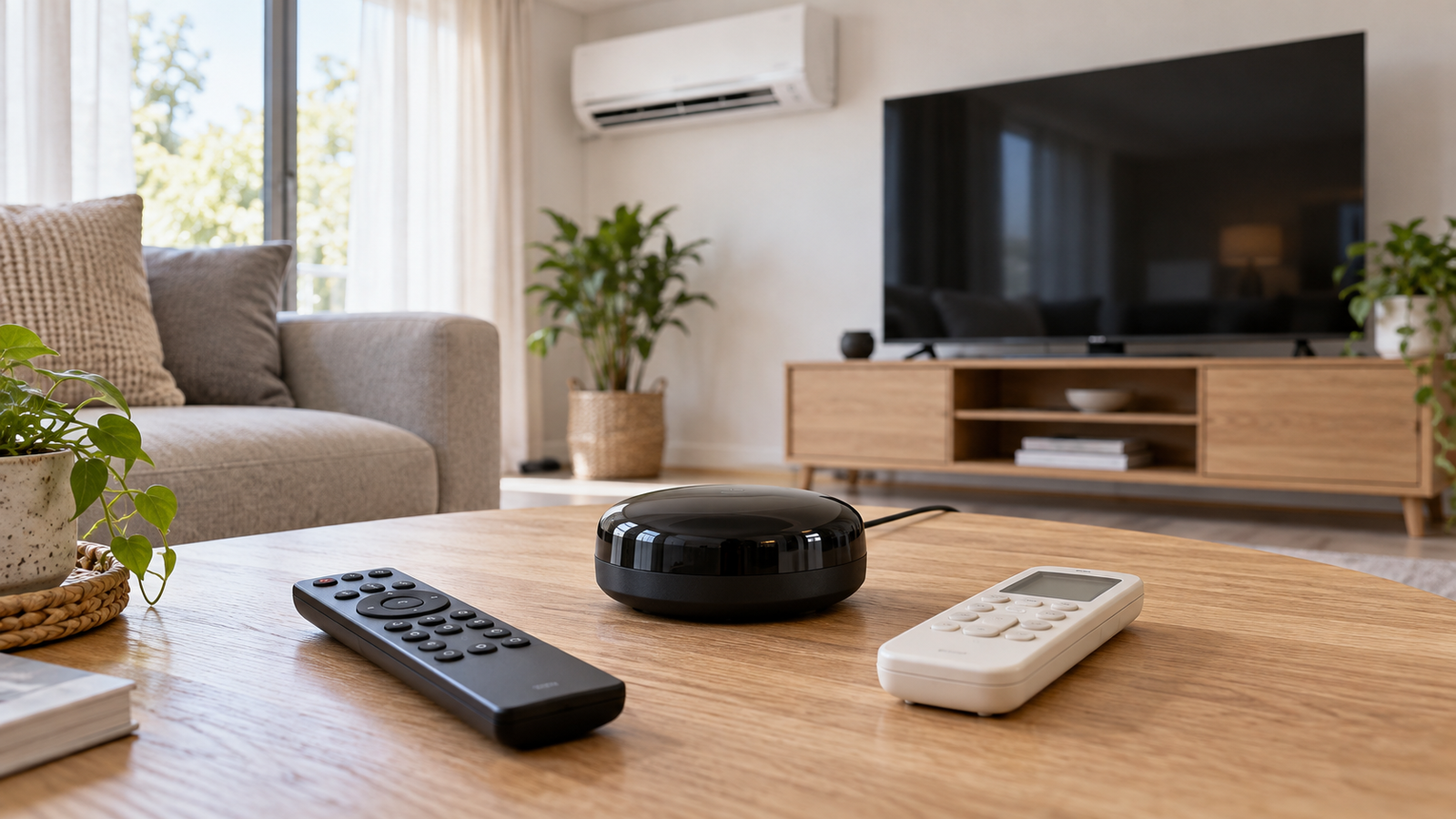
A MOES smart IR remote is useful if your existing remote uses ordinary infrared, the target is in the same unobstructed room and you want app or voice commands. Choose the protocol and accessory requirements before choosing a device: MOES sells Wi-Fi IR-only/IR+RF products and a Zigbee IR-only model that the brand says requires a wired compatible Zigbee gateway. An IR command being sent is not proof that the TV, fan or air conditioner actually changed state.
First identify what your existing remote sends
Pointing a handheld remote at a TV often indicates infrared (IR); a blind or fan controller may use radio frequency (RF), and newer devices may use Bluetooth or a proprietary wireless link. The handset’s look is not reliable proof. Check the appliance manual, the remote model and any stated frequency or rolling/encrypted-code behavior. A blaster cannot teach itself a command it cannot receive or interpret.
The MOES WR-FL-IRF-U-MS IR+RF USB listing specifies 38 kHz IR, 315/433 MHz RF and 2.4 GHz Wi-Fi. Its FAQ adds an important restriction: the RF learning feature handles fixed-code signals, not rolling or encrypted codes used by some security-sensitive controls. It also warns that IR does not pass through walls. Those limits matter more than the marketing claim that one remote can replace every controller.
| Your existing device | What to match | What should change your decision |
|---|---|---|
| TV, set-top box or air conditioner with an ordinary handheld IR remote | 38 kHz IR signal, matching built-in code or successful learning; physical line of sight | If a key cannot be learned or works only intermittently, use the original remote or another supported system. |
| RF-operated curtain motor or fan remote | Frequency and fixed-code compatibility—not frequency alone | A rolling/encrypted code or unsupported encoding disqualifies the MOES learning claim. |
| Garage-door or security-related controller | Manufacturer-authorized supported integration and safety protections | Do not use a generic copied remote as a substitute for a properly secured, safety-rated control. |
| Bluetooth remote, RF4CE, Wi-Fi device or proprietary two-way controller | Native vendor app, supported integration or purpose-built replacement | A 38 kHz IR transmitter cannot replace a non-IR remote by software alone. |
Three MOES configurations are not interchangeable
MOES has multiple similarly named remotes with different connectivity and power requirements. These examples illustrate the decision, not a complete catalog-wide compatibility claim:
| Model / official listing | Documented requirements | Best-fit situation / caveat |
|---|---|---|
| WR-FL-IRF-U-MS USB Wi-Fi IR+RF | USB DC 5V/1A, 2.4 GHz Wi-Fi, 38 kHz IR, 315/433 MHz RF; listed IR range up to 12 m. | Potential match when the room has IR appliances and suitable fixed-code RF gear. Check placement and exact remote code. |
| ZR-X-R11-A-MS / UFO-R11 Zigbee IR | 2 AAA batteries, IR 38 kHz; MOES/Tuya wired Zigbee gateway specifically required; no RF; listed distance up to 8 m. | If a supported wired gateway already exists and the target uses IR. A generic Wi-Fi hub or every wireless Zigbee gateway is not automatically suitable. |
| Wi-Fi IR remote with temp/humidity sensor | USB 5V/1A, 2.4 GHz Wi-Fi, 38 kHz IR; built-in environmental sensing per seller. | For an IR-controlled room where sensor-triggered scenes matter; sensors do not prove the appliance obeyed an IR command. |
Room coverage is a physical problem
Install the blaster where it has an unobstructed route to each appliance’s IR receiver. Wide advertised angles and quoted meter ranges are seller-stated maximums, not guarantees for a bright sunlit living room or a cabinet. The independent Home Assistant infrared documentation confirms that infrared signals do not pass through walls or solid furniture and recommends another adapter for appliances in another room.
A sensible test is to place the controller near its planned location before mounting anything permanently. Using the appropriate app and original handset, try the exact commands that matter: power, input, volume, fan mode, heating/cooling mode and temperature. A device can support the brand but not all of its button functions.
Many IR appliances do not acknowledge commands over IR. In Home Assistant, the IR-emitter entity explicitly tracks when a command was sent, not whether the target is on. A spouse using the original remote or a missed blaster command can make an assumed on/off state wrong. A MOES unit with a temperature sensor adds room measurements; it does not prove that the air conditioner received a command or reached the requested setting.
What “learning a remote” really buys you
A built-in library is convenient but only when the specific remote model and required keys work. Learning copies an accessible signal from the original controller; it cannot guarantee unsupported frequencies or RF security protocols. The MOES FAQ specifically limits the IR learner to 38 kHz and the RF learning case to supported fixed codes. For air-conditioning remotes that transmit complete operating-state messages, test mode, fan, swing and temperature combinations—not only the on/off button.
Remote internet access is a separate question. Wi-Fi IR models described by MOES use 2.4 GHz at setup and the Tuya/MOES app; if your household depends on remote operation, consider how a power outage, unavailable internet, changed router or account authorization would affect use. Do not rely on cloud commands alone for critical heating, cooling or safety tasks.
| Ownership question | Practical check |
|---|---|
| One room or several? | Count rooms with obstructed IR receivers; assume a separate blaster where the IR path cannot reach. |
| Which network and ecosystem? | List 2.4 GHz Wi-Fi access, Tuya/MOES app and required compatible wired Zigbee hub (only for the specified Zigbee model). |
| Power and upkeep? | Allow permanent USB power for Wi-Fi unit, or eventual AAA replacement for specified Zigbee model. |
| What must work after setup? | Demonstrate all needed original-remote functions and record whether power-state feedback is genuine or merely assumed. |
| What can change? | Recheck app integrations, cloud access, stock and model revision before purchase. |
Alternative: another IR system or a native integration?
Broadlink-style remotes are a real alternative when the buyer needs a different integration path. The Home Assistant Broadlink integration documents learned IR commands and separately identifies compatible RF-capable Pro models; it does not treat an RM4 Mini as RF-capable. That difference is a useful warning against assuming similar product names share radio hardware. This is integration documentation, not an independent durability comparison between MOES and Broadlink.
If your air conditioner, television or smart fan offers an official network integration with reliable state reporting, compare that first. It may avoid one-way IR assumptions, but only if your exact device and service are supported. Keep the original remote as fallback if room coverage or cloud reliability changes.
The answer for common households
- One living room with IR TV and AC: a Wi-Fi IR model can be a low-change solution after successful command testing.
- A Tuya/Zigbee home: the MOES Zigbee IR unit is viable only when the specific wired gateway requirement is met; Zigbee alone is not enough.
- RF shutters or blinds: choose IR+RF only if the original uses a compatible fixed code. Do not infer rolling-code support.
- Several rooms or accurate appliance status required: budget for several blasters or use a genuinely supported native integration instead.
Check MOES IR and IR/RF variants
Evidence and freshness: Source check October 17, 2026, for U.S. households. MOES specifications and hub rules are seller statements; placement and command/state limits are additionally described in Home Assistant technical documentation. Models, app features, stock and prices can change. No devices were personally tested.
Keep researching
More decision guides from the same topic area.
Meross Smart Switch: MSS510, MSS550 and Dimmer Fit for U.S. Homes
: choose the circuit before the switchFor a U.S. Meross wall-switch upgrade, first distinguish single-pole from 3-way control, on/off…
Read guide →
Meross Outdoor Smart Plug: MSS620BHK Fit, IP44 and Load Limits
: outdoor-rated is not waterproofThe current U.S./Canada Meross store lists the MSS620BHK as a two-outlet outdoor smart plug with…
Read guide →
How to Reset a Meross Smart Plug Without Losing Your Setup
Before you factory reset a Meross smart plugIf the plug still turns on and off from its physical button,…
Read guide →