
Commercial disclosure: We may earn a commission if you purchase through certain links on this page, at no additional cost to you.
A MOES Fingerbot Plus is worth considering when you need to press a physical button and cannot—or do not want to—replace the device. First test the button geometry and whether a simple press actually performs the desired function. Local Bluetooth is the narrowest supported use case; unattended schedules, voice commands and away-from-home control require a compatible Bluetooth hub according to MOES. A smart plug or native smart appliance may be more dependable for certain tasks.
The question is not “Is it smart?”—it is “Can the finger reach the button?”
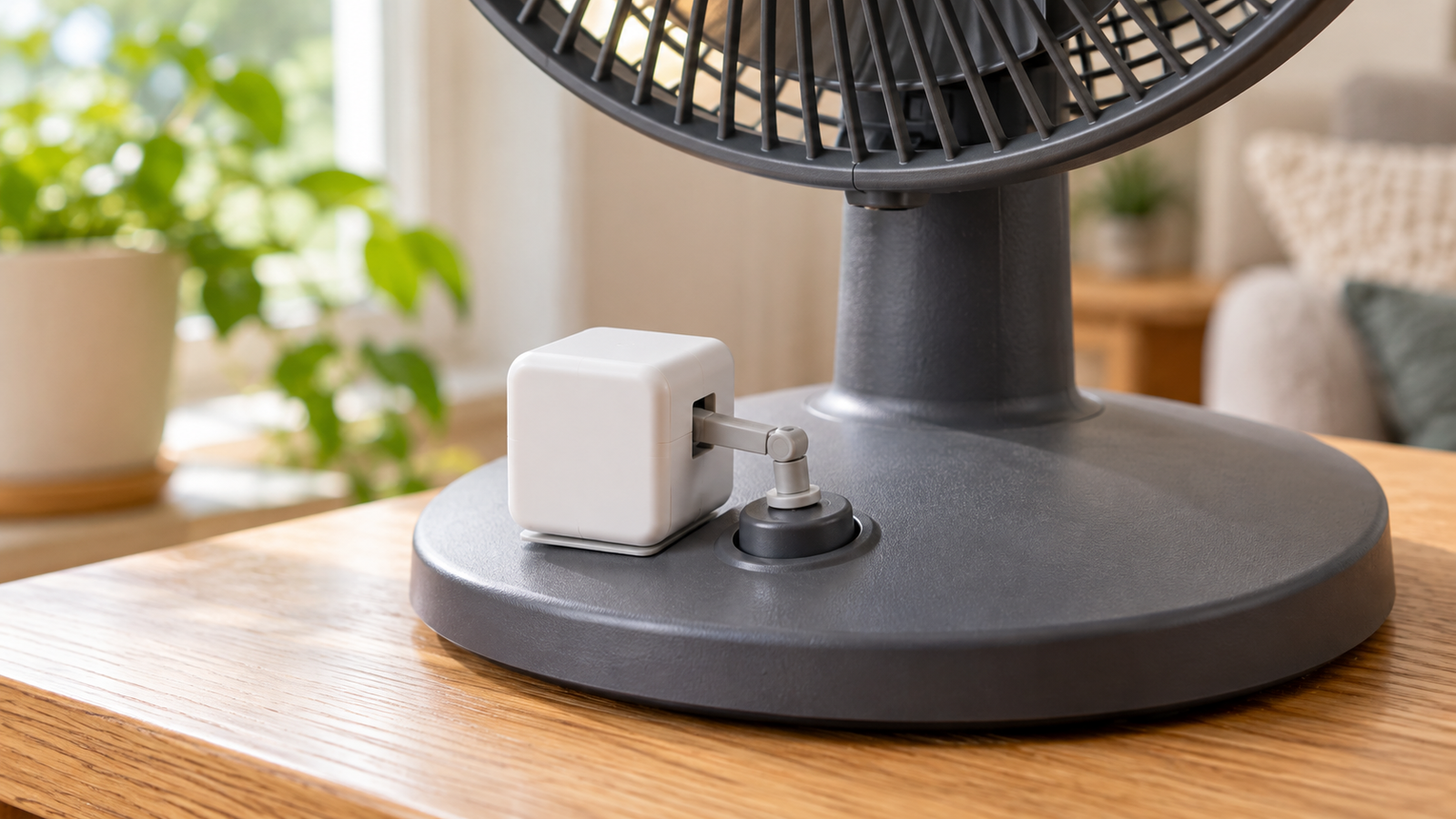
A Fingerbot is a miniature actuator fixed beside a physical control. It pushes the control rather than speaking to an appliance electronically. That makes it useful for some older lamps, fans, coffee makers and tactile controls, but not a universal substitute for an electrical relay or a replacement wall switch. Before paying, examine the exact surface, button force, on/off behavior, clearances and whether adhesive can hold in that environment. Do not obstruct a safety switch, emergency shutoff, fire alarm, medical device or another critical control.
The currently listed MOES Fingerbot Plus BS-FB-V3-MS page states Bluetooth Low Energy 4.2, a removable CR2 cell in its specification, an adhesive mount and a touch control on the unit. It says an optional tool pack can change how it engages some rocker switches. Those are MOES claims for this listing, not results of a hands-on HomeChoiceWorks installation.
| Existing control / outcome | Fit question to answer | Likely decision |
|---|---|---|
| Raised momentary pushbutton | Can the bot sit beside the button without overhanging a curved faceplate? Does one tap trigger the required action? | Reasonable retrofit candidate, after a placement and force check. |
| Two-position rocker or toggle | Does one push only move it one way? Is a pull-up accessory needed to return it? | Only consider a bot with a verified compatible accessory; otherwise use an alternative. |
| Flat capacitive touch key | There is no tactile surface to depress. | Do not buy for this task: MOES explicitly excludes capacitive touch controls. |
| Appliance with a power-on memory setting | Will it resume when mains power is restored, and is it safe for remote switching? | A correctly rated smart plug might remove the need for a moving mechanism. |
| Panel used for safety, locks or emergency stops | Would accidental or remote activation create injury, damage or a security risk? | Avoid a generic fingerbot; use a purpose-built, safety-appropriate controller. |
A three-minute physical-fit check before you buy
- Trace the press: with the original device unpowered where feasible, note the direction and depth of travel. A lever that needs a pull-back is different from a momentary pushbutton.
- Measure landing area: compare the available flat adhesive space to the exact dimension drawing; check trim, neighboring buttons and any cover that must still close. A rigid cube may be unable to approach a recessed button squarely.
- Check repeatability: confirm the appliance responds predictably to a single press. A toggle button can leave the app’s assumed state out of sync when someone presses manually.
- Check the environment: adhesives and battery devices may be poor fits for hot, damp, greasy or frequently cleaned surfaces. Consult product operating conditions for the actual hardware.
- Budget for the full solution: base actuator, optional arm/toolpack, gateway when needed, replacement battery, extra mount and any return shipping.
The same MOES product page describes an “800mAh battery” and “12mm arm travel” in its introductory copy, but its specification lists 1 × CR2 500mAh and presents slightly different size figures elsewhere. These cannot all be treated as one confirmed hardware revision. Use the delivered model label and corresponding manual to confirm battery chemistry, travel, included tool head and dimensions before purchase. Do not budget on a promised battery life derived from the conflicting capacity claims.
What Bluetooth alone gives you—and what needs a gateway
MOES distinguishes nearby phone control from features that depend on a Bluetooth gateway. Its BS-FB-V3-MS specification and FAQ say that manual touch and nearby app control work locally, while timers, remote internet access and Alexa/Google voice control use a Bluetooth hub. The page gives an approximate local Bluetooth range, but wall construction and placement can change real household coverage; this is not a guaranteed range through rooms.
| Intended task | Minimum working setup to verify | Hidden ownership burden |
|---|---|---|
| Tap the button while standing nearby | Fingerbot + phone with supported app / Bluetooth, or the unit’s touch key | Replace CR2 and re-stick it if moved. |
| Run a morning/evening schedule without a phone nearby | Exact Fingerbot variant + supported MOES/Tuya Bluetooth gateway and configured service | Hub power, network and cloud/app dependency. |
| Issue voice commands from another room | Hub + compatible assistant/account linkage | Household Wi-Fi, assistant/platform support and user permissions. |
| Operate a two-state rocker both directions | Verify optional pull-tool compatibility with your switch | Tool kit, mount clearance and alignment over time. |
MOES versus a different way to automate
SwitchBot Bot is a genuine competing physical pusher, not a substitute for every button. Its official specification describes press and switch modes, a CR2 battery, and a separate SwitchBot Hub Mini for named assistant integrations. It also publishes its body dimensions, which makes a side-by-side tape-measure test possible. Manufacturer battery-life projections for either device are not independent endurance tests.
A smart plug is conceptually different: it switches power at an outlet and does not physically press an appliance’s control. It is the simpler option only when the appliance is plug-powered, within the plug’s electrical rating, safe to switch remotely and capable of restarting appropriately after power restoration. If the device requires a new press after reconnecting power, a plug alone does not solve it. For a hardwired lighting circuit, a qualified electrician can evaluate an approved in-wall switch instead of attaching a pusher to the front.
| Approach | What it actually changes | Strongest fit | Reason to reject |
|---|---|---|---|
| MOES Fingerbot Plus | Presses one physical surface | Retain a legacy device with a suitable tactile button | Flat touch panel; missing hub for remote use; inaccessible battery. |
| SwitchBot Bot | Presses or switches a physical control | Existing SwitchBot ecosystem or better dimensional fit | Different ecosystem/hub; no adequate mounting clearance. |
| Smart plug | Cuts/restores mains power to a plug-in appliance | Appliance safely resumes its intended state on power restoration | Appliance stays off after a power cycle or must not be remotely restarted. |
| Native smart device or wall switch | Replaces the actual control architecture | Reliable state indication, appropriate wiring and local controls are important | Higher upfront cost or installation/disposal burden. |
Who should buy—and who should skip
Consider it for a noncritical button you can reach for maintenance, when one mechanical press is sufficient and you accept occasional adjustments. It can preserve a functioning appliance rather than replacing it simply to gain phone control.
Skip it for touch screens, emergency functions, controls with unpredictable multistage behavior, devices that could run unattended unsafely, or cases where the necessary automation depends on an unverified gateway. If a caregiver or household member needs an always-available, accessible and predictable control, test the whole interaction—including the ordinary manual fallback—rather than presuming the app solves it.
Final purchase checklist
- Photograph the button, measure the flat adhesive area, and identify whether push or pull is required.
- Confirm the exact BS-FB-V3 package contents and supplied power cell; seller copy on this page is inconsistent.
- Check whether the selected variant includes the tool pack and a hub, or whether those cost extra.
- Confirm return terms and whether batteries/accessories qualify before attaching the adhesive.
- Make sure the original control remains accessible if the phone, cloud or bot fails.
Browse MOES Fingerbot models and hub options
Evidence and freshness: Reviewed October 17, 2026, for a U.S. search audience. Product features are attributed to MOES; the comparison device is described from SwitchBot documentation. Pricing, variant availability, compatibility and seller terms may change. We have not personally installed or durability-tested these devices.
Keep researching
More decision guides from the same topic area.
Meross Smart Switch: MSS510, MSS550 and Dimmer Fit for U.S. Homes
: choose the circuit before the switchFor a U.S. Meross wall-switch upgrade, first distinguish single-pole from 3-way control, on/off…
Read guide →
Meross Outdoor Smart Plug: MSS620BHK Fit, IP44 and Load Limits
: outdoor-rated is not waterproofThe current U.S./Canada Meross store lists the MSS620BHK as a two-outlet outdoor smart plug with…
Read guide →
How to Reset a Meross Smart Plug Without Losing Your Setup
Before you factory reset a Meross smart plugIf the plug still turns on and off from its physical button,…
Read guide →