
Commercial disclosure: We may earn a commission if you subscribe to VirtualPostMail through our referral link.
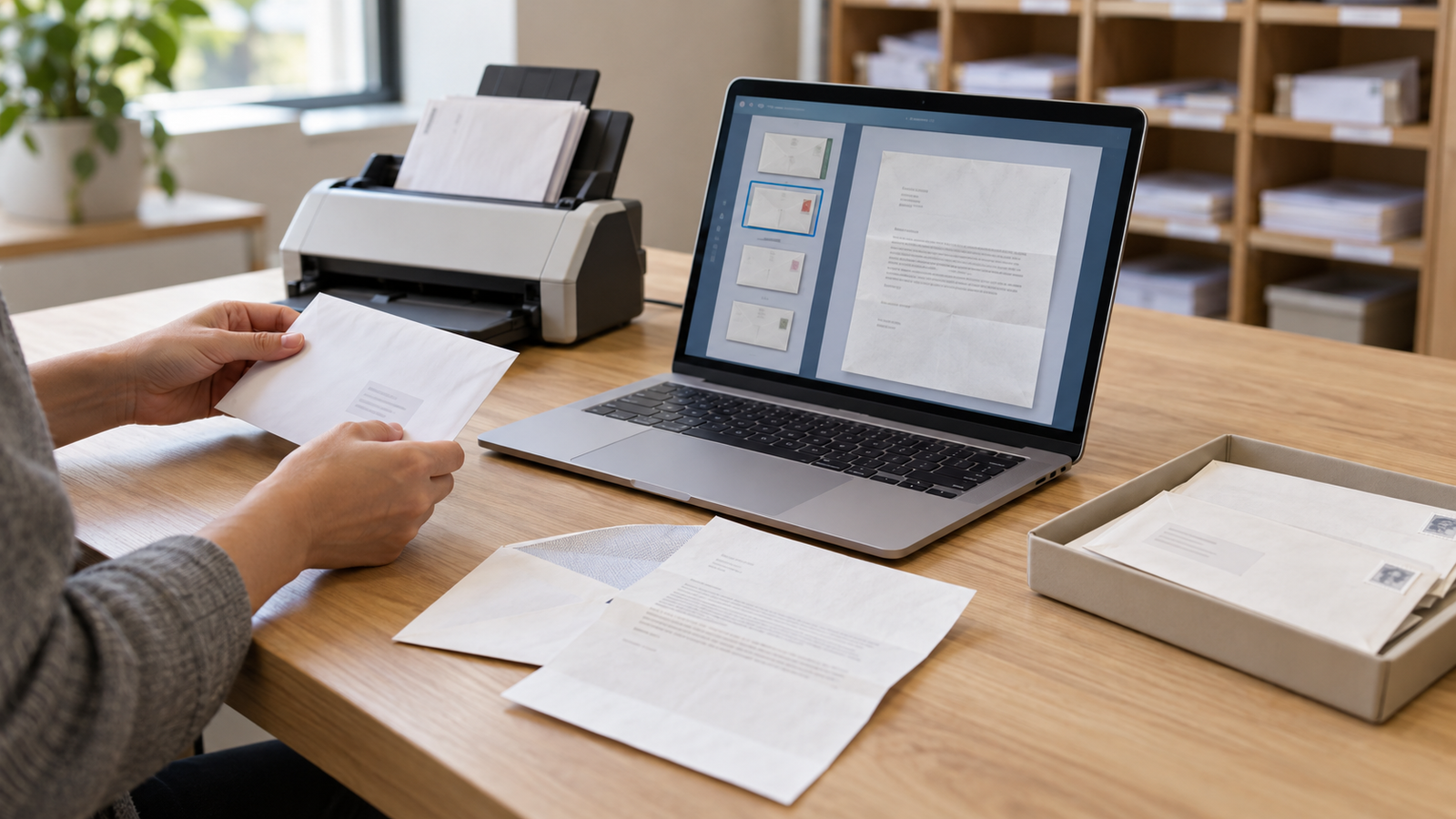
A virtual mailbox is a physical mail-receiving service controlled through an online account. The provider receives paper mail at an assigned address; you decide what to read as a scan, keep for forwarding or discard. It is useful when accessing information remotely matters more than collecting every original in person.
“Virtual” describes the controls, not the paper. Someone still receives and stores the envelope, and someone must handle it when you request a scan or shipment. The practical question is whether that extra handling solves your problem without creating an awkward route for important originals.
Follow one ordinary letter through the system
- Your sender uses the assigned mailing address and mailbox number.
- The provider receives the envelope and makes it visible in your online account.
- You choose whether to request the contents, forward the original or dispose of it.
- You save any document you need, confirm the physical outcome, and act before its storage deadline.
Those are separate actions. An envelope appearing online does not mean its contents have been digitized, and a downloaded PDF does not mean the original will be kept indefinitely. VPM’s processing guide documents this receive-and-instruct workflow. Confirm how your chosen provider names the buttons and charges for each task.
Before subscribing, decide what kind of access you need
Sort a representative month into information-only letters, originals you must retain and material you do not want opened. If nearly everything belongs in the first group, content scanning may help. If the second group dominates, verify pickup or forwarding first. VPM does not offer public pickup, so do not select it expecting to collect a document at the front desk.
If you mainly want an advance hint about what is arriving, USPS Informed Delivery may be enough at an eligible address. Its exterior previews are a narrower tool, not content scanning. Direct electronic statements from senders may also reduce the paper you need someone else to handle.
Authorization is part of setup, not a later formality
For a U.S. commercial mailbox, start with the current USPS Form 1583. Its instructions require separate applications for adults using a personal mailbox, and two different identification documents: a photo ID and an accepted address-verification document. Follow the current form’s list rather than assuming any two cards will do.
The postal signature procedure matters too. USPS DMM 508, section 1.8.3 requires signing or confirming the signature in physical presence or real-time audio/video presence of the authorized agent, or acknowledgment before an appropriately commissioned U.S. notary. Not every applicant must use a separate notary, but an identity photo alone should not be assumed to complete the whole procedure.
VPM’s verification Help page advertises a photo-based route that may waive notarization. Ask how its complete process satisfies the current USPS signature-presence requirement. Do not substitute a still photo for a required live step, and do not change your senders’ records until the provider confirms approval.
Use the provider’s confirmed submission channel for identity documents; verify the site and contact details before sending sensitive information. Get the exact recipient names and address format accepted, keep copies of your paperwork, and wait for activation confirmation. Paying for an address and being authorized to process incoming mail are different milestones.
Activation and processing time are different clocks
VPM’s guide says processing is unavailable until activation and describes scan requests as typically completed within six business hours. That is a merchant estimate, not an activation guarantee or a promise to meet your document deadline. Allow separately for document approval, postal delivery, intake and the task you request.
A sensible first check is an ordinary, non-urgent letter sent after activation. Confirm that it appears, that a scan request works and that notifications reach an inbox you monitor. This is a suggested customer check, not a test performed by HomeChoiceWorks. Keep a direct route for time-critical originals until you understand the routine.
Content scanning has boundaries
Read VPM’s scanning policy before assuming every insert is included. It excludes categories such as bound material and some statement inserts; a standard scan is defined around one mail piece with up to ten single-sided pages. If you need a complete packet, confirm what will be captured and how additional pages are charged.
Also decide whether automation fits your privacy preference. VPM’s mailbox settings include automatic scanning and emailed PDFs. Automatic processing can reduce repeated clicks, but it should be a conscious instruction. A PDF delivered to email also places a copy outside the mailbox account, so consider who can access that inbox.
Keep, forward and discard are different outcomes
| What you want | Safer instruction before acting |
|---|---|
| Read a letter but retain the original | Request a scan and confirm the physical item remains available. |
| Keep material unopened | Check forwarding options and ask about the required handling. |
| Save a digital record but no paper | Download the needed file and confirm which disposal action removes the original. |
| Remove both the original and online copy | Read the deletion and disposal consequences before confirming. |
One potentially surprising example is VPM’s Archive action: its guide says that action discards the physical item while retaining digital images. An archive label should not be read as a promise of physical storage. Verify the effect before using it on an original you need.
VPM’s physical-storage policy generally provides 60 days, with different treatment for perishables and paid extensions requested before expiry. Set a personal action reminder before the provider’s final deadline. Export important scans to storage you control; do not make the mailbox account your only copy.
What to verify before paying
- Purpose: ordinary mail management, rather than an assumed guarantee of residence or institutional eligibility.
- Recipients and documents: accepted names, current identity evidence and a compliant signature/verification route.
- Cost: subscription, content-scan units, extra pages, originals shipped, storage and any one-off services. Request a current schedule rather than assuming “mail included” covers every action.
- Originals: the items you will keep, how to retrieve them and what happens at expiry or cancellation.
- Access: notifications you can monitor, a protected account and a support channel you can actually use.
A virtual mailbox is a good tool for a defined remote-mail task. It is a poor substitute for a clear plan: if you cannot authorize the account, monitor requests or recover an important original, solve that issue before redirecting your mail.
Explore VirtualPostMail’s service and setup details
Sources checked October 15, 2026. U.S. commercial-mailbox explanation, using VPM as a documented example. Procedures and limits differ by provider. No instant activation, universal scanning coverage, first-hand testing or address-eligibility guarantee is claimed.
Keep researching
More decision guides from the same topic area.

Academic Transcription Services: Choosing a Research-Safe Interview Workflow
Academic transcription services are not merely a way to save typing time. If an interview includes participants, a research…
Read guide →
Podcast Transcription Services: When Human Editing Is Worth Paying For
Most podcasts do not need an expensive transcription subscription just to put words beneath an episode. The real purchase…
Read guide →
Closed Captioning Services: What to Specify Before You Order
When hiring closed captioning services for prerecorded video, the deliverable is not simply a transcript with time codes. It…
Read guide →