
Commercial disclosure: We may earn a commission from purchases made through certain links on this page. Check the seller’s price and terms before ordering.
A Meross garage controller can add phone-based control to a compatible existing opener, but the first decision is your opener model and learn-button system, not whether MSG100 or MSG200 has more features. Start with the official compatibility checker; if Meross cannot confirm the required accessory or wiring path, do not order on an assumption.
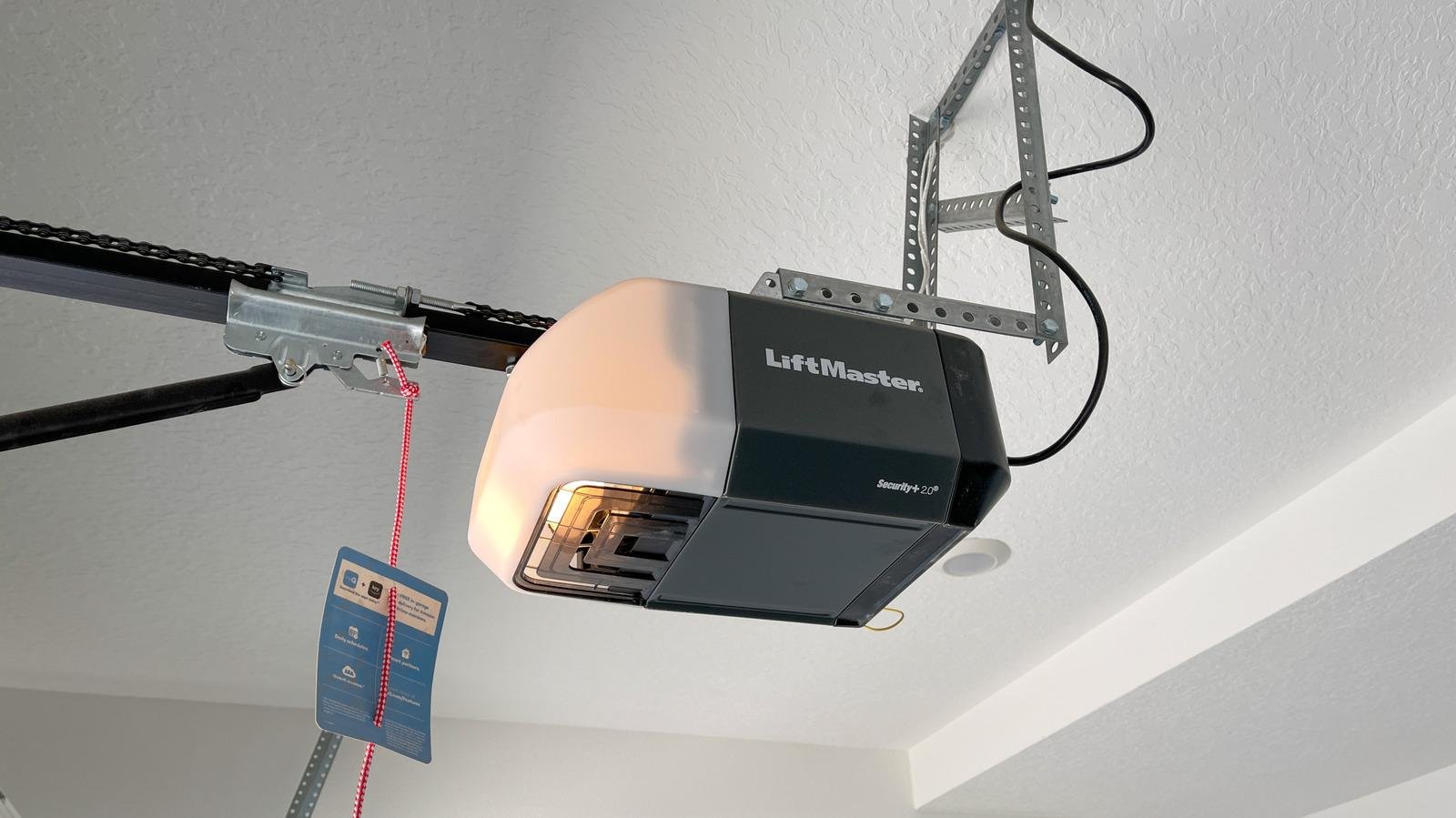
A Meross smart garage door opener is a retrofit controller, not a replacement drive motor. For a home with one compatible door, the MSG100 family is the leaner starting point; MSG200HK becomes more relevant when multiple doors need control. Owners of certain Chamberlain, LiftMaster or Craftsman openers should also investigate the newer MSG150 family before choosing. These are different decisions, not three interchangeable boxes.
Start with the opener already installed
Write down the opener manufacturer, model and the color of its learn button; photograph the product label while keeping clear of moving mechanisms. Meross provides a model/learn-button checker for MSG100/MSG200 and directs MSG150 buyers to a separate compatibility resource. For some North American opener families, a special interface accessory may be needed. The Meross accessory FAQ limits the eligible accessory families and conditions—so the word “universal” should not be mistaken for guaranteed compatibility.
The Meross checker describes a wall-button terminal test, but explicitly says not to perform it if you cannot identify the terminals. If electrical connections or opener safety systems are unfamiliar, ask Meross support or a qualified garage-door professional before opening the unit.
MSG100, MSG200HK or MSG150: what changes the purchase?
| Family | Evidence-backed use case | What to confirm |
|---|---|---|
| MSG100 / MSG100HK | One-door retrofit. The currently listed MSG100 US product includes a wired door sensor and uses 2.4GHz Wi-Fi. | Whether the exact listing is an Apple Home/HomeKit variant, whether an adapter is needed, and whether the supplied sensor lead reaches the door. |
| MSG200 / MSG200HK | Multi-door retrofit. Meross lists MSG200HK with an external antenna and support for up to three doors; its product description says two sensor cables are included. | One opener-compatibility check per motor, cable route per door, plus a third sensor kit if controlling three doors. |
| MSG150 / MSG150HK | Alternative product family marketed specifically for Chamberlain, LiftMaster and Craftsman. | Exact opener generation and learn-button compatibility; do not assume every Security+ generation will work. |
Those distinctions come from the current MSG100 listing, MSG200HK listing and MSG150 listing. The letters in the retail SKU matter: verify Apple Home support on the exact purchased listing, rather than relying on a general Meross product-family description. Wi-Fi is not the same thing as Matter or Thread.
A real installation includes more than the controller
The MSG100 listing specifies a roughly 23-foot wired magnetic door sensor. Plan the route from the opener to the door when fully open and closed, including slack and safe cable retention. Sensor alignment matters: a controller can issue a command while the door-status reading is wrong. In a PCWorld hands-on review of an older MSG100, installation complexity and occasional app delay were notable drawbacks; that does not establish performance for all current revisions.
A June 2026 HomeKit user discussion also describes a falsely reported obstruction later resolved by repositioning the sensor. This is qualitative testimony, not a failure-rate measurement; the useful lesson is to confirm magnetic-sensor alignment and the configured travel-time behavior before assuming the opener motor is faulty.
Count every door and accessory before comparing prices
On October 21, 2026, Meross’s U.S. store displayed approximately $49.99 for MSG100, $69.99 for MSG200HK, and $63.99 sale price for MSG150. A separate MSG200 third-door sensor kit was listed at $16.99. These are merchant snapshots, not fixed totals or guaranteed checkout prices. A three-door project also requires verifying each opener’s compatibility, adequate cable routing, 2.4GHz Wi-Fi reach, and any special accessory request.
Meross advertises no monthly controller subscription for these models, but ongoing ownership still depends on a working network, current platform support, and manufacturer software. Do not confuse garage controller access with optional subscriptions for unrelated camera or keypad products.
When a different route makes more sense
- Use existing myQ equipment: if your opener already supports the functions you need, test the native app and platform compatibility before attaching another controller. Compare the exact features and any relevant service terms, not just the device price.
- Choose a different Meross family: a documented MSG150-compatible Chamberlain setup may be simpler than assuming an MSG100 adapter is unnecessary.
- Fix the opener first: a malfunctioning motor, travel sensor, photo-eye or door balance is not repaired by a Wi-Fi add-on. A retrofit controller should not bypass manufacturer safety systems.
Pre-purchase decision checklist
- Confirm opener manufacturer/model and learn button with the official checker.
- Ask Meross to confirm any required accessory and whether the order qualifies for it.
- Choose one-door versus multiple-door control; calculate the actual sensor kit count.
- Confirm the exact Apple Home variant if that ecosystem is essential.
- Check garage 2.4GHz Wi-Fi, sensor-cable path and safe mounting location.
- Recheck current price, shipping, returns and warranty terms on the seller’s pages.
See current Meross garage controller options
Evidence and freshness: Product/compatibility claims were reviewed against linked Meross documentation on October 21, 2026; PCWorld and owner discussion are separately attributed experience. This is a compatibility-oriented buying guide, not a hands-on HomeChoiceWorks test. Product stock, hardware revisions and compatibility lists may change.
Keep researching
More decision guides from the same topic area.
Meross Smart Switch: MSS510, MSS550 and Dimmer Fit for U.S. Homes
: choose the circuit before the switchFor a U.S. Meross wall-switch upgrade, first distinguish single-pole from 3-way control, on/off…
Read guide →
Meross Outdoor Smart Plug: MSS620BHK Fit, IP44 and Load Limits
: outdoor-rated is not waterproofThe current U.S./Canada Meross store lists the MSS620BHK as a two-outlet outdoor smart plug with…
Read guide →
How to Reset a Meross Smart Plug Without Losing Your Setup
Before you factory reset a Meross smart plugIf the plug still turns on and off from its physical button,…
Read guide →