
Commercial disclosure: We may earn a commission if you purchase through certain links on this page. Commission terms should be confirmed at checkout.
For a U.S. home, choose the wiring and electrical load first, then the control protocol. A MOES switch sold as “US” is not automatically suitable for every box, lamp, multiway circuit or local code. If the exact listing and independently verifiable safety certification cannot be matched to the installed product, do not schedule installation.
Start at the wallbox, not the app
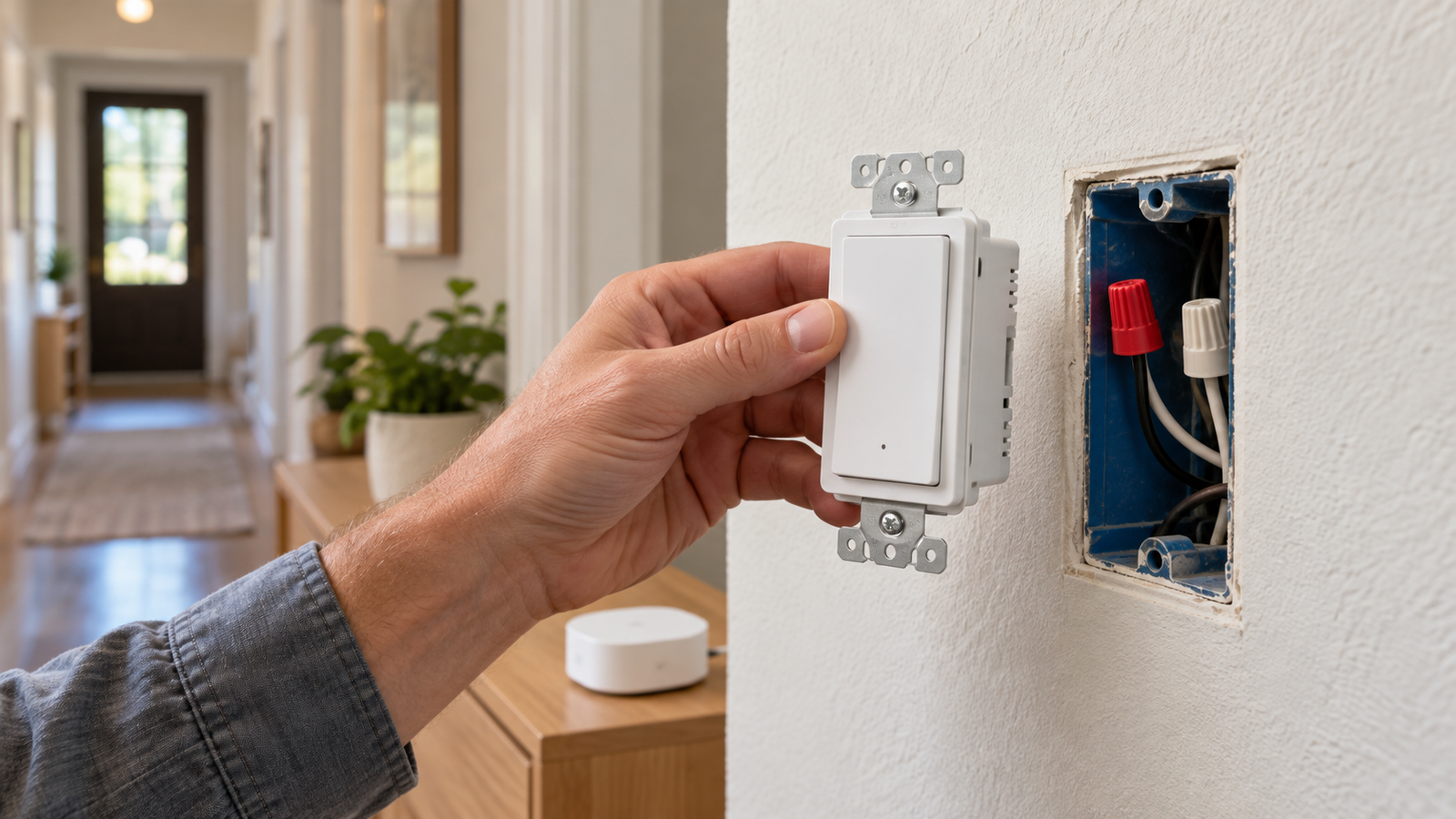
“MOES smart switch” covers products with materially different electrical requirements. A two-location light (usually called a 3-way circuit in the U.S.) is not the same thing as a 3-gang switch controlling three separate loads. An on/off relay also does not become a dimmer because it can be scheduled in an app. Identify the number of controlled loads, switching locations, type and minimum wattage of the lamps, and existing wire conductors with a qualified electrician before ordering.
| Household situation | MOES example and documented limits | Decision |
|---|---|---|
| Single-pole lighting; no neutral in the box | MOES no-neutral Wi-Fi WS-SY-US-L110-WH-MS is listed for 100–120 V AC, single-pole, 2.4 GHz Wi-Fi, a 7 W minimum, 10 A maximum and specified lamp-load limits. | Potential fit only if the actual load and wallbox comply; very low-power LED loads deserve particular scrutiny. |
| Two locations control one light | MOES Wi-Fi 3-way WS-SY-US-T-N-WH-MS states 100–120 V, neutral required and 15 A maximum; the listing says configurations vary and discusses one versus two smart switches. | Do not assume a 3-gang unit or an app scene can replace a wired 3-way arrangement. |
| Existing Tuya Zigbee network; neutral uncertain | MOES Zigbee ZS-US1-N-WH-MS describes neutral-optional wiring and a separately purchased Tuya Zigbee 3.0 hub. Its single-live specification lists 2.5 A total and defined LED/CFL limits. | Hub and actual variant matter; a higher current rating from another MOES switch cannot be transferred to this one. |
| Matter controller or cross-platform household | MOES Matter Wi-Fi WS-B-US lists neutral/ground wiring, 90–240 V AC, 10 A total and a 2.4 GHz Matter-over-Wi-Fi radio. | Confirm your Matter controller and exact functions before treating platform logos as a full-feature guarantee. |
The figures above are manufacturer-listed limits for the named variants, not lab measurements or proof of compliance with every U.S. installation. The manufacturer also sells many other models. A multi-gang label refers to independently controlled load channels; inspect the specific schematic rather than extrapolating from this table.
Neutral, load and dimming: the three expensive mistakes
Neutral is not a matter of preference
If a neutral is absent, exclude neutral-required MOES variants outright unless a licensed electrician plans a code-compliant circuit change. Do not repurpose ground as neutral. Some no-neutral designs have minimum-load constraints, as the 7 W minimum in the listed MOES model shows. Confirm whether your existing LED fixtures meet the exact specified combination, particularly if flicker or faint glow would be unacceptable.
Multiway and multi-gang are different designs
A hallway light controlled from two locations calls for a verified multiway topology or supported companion. Asking for a “2-gang 3-way switch” does not prove either feature. Confirm how travelers, companion devices and any smart association are expected to work if the hub is offline. An electrician should compare the switch wiring diagram against the actual circuit.
Match the load type, not just amperage
“15 A” alone does not tell you whether a smart switch is suitable for a motor, LED driver, fan or dimmable lamp. Compare the source listing’s resistive/inductive ratings and supported functions with the actual appliance. A switch that only provides on/off control should not be bought as a dimmer. Avoid using a general light switch for an unspecified heavy appliance.
Wi-Fi, Zigbee or Matter: which complexity are you buying?
- MOES Wi-Fi: convenient for a small number of switches when the specified 2.4 GHz network and chosen app are acceptable; your router and platform behavior become part of ownership.
- MOES Zigbee: makes more sense if you already have a confirmed compatible Tuya hub or integration. The product listing explicitly prices the hub separately. Protocol membership alone does not guarantee every feature works with every coordinator.
- MOES Matter Wi-Fi: can suit mixed assistant households, but a compatible Matter controller and exact device support still matter. The Connectivity Standards Alliance describes Matter running on Wi-Fi or Thread; this particular MOES switch is sold as Wi-Fi, not Thread.
A product page can establish a seller’s claimed voltage or hub requirement, not a verified U.S. safety listing. For line-voltage hardware, ask the seller for the exact model’s listing file and compare it in a recognized database such as UL Product iQ. If certification or an approved installation method cannot be confirmed, choose a documented alternative with your electrician.
What else should you compare before buying MOES?
Check the non-affiliate alternatives on the same criteria. Leviton’s current support documentation distinguishes no-neutral Decora Smart devices, which require an earth ground and a Wi-Fi bridge, from neutral-required Wi-Fi devices that need no additional hub. Leviton’s D215S page documents wired and wireless multiway companion options but now marks that exact model discontinued and points to a replacement. This is a reminder to verify the current model, not to compare specifications from a discontinued stock-keeping unit.
Choose an established alternative when independently checkable certification, local support, verified companion-device behavior or a known electrician-friendly form factor outweighs a lower advertised hardware price. MOES can remain on the shortlist when the exact switch, wiring schematic and ecosystem are confirmed; the research here does not establish that it is more reliable or safer than competing brands.
The installed-cost worksheet
- Write down exact SKU, number of switch locations, lamp/driver type and current load.
- Add the switch quantity and any required Zigbee hub, companion or retrofit wiring costs.
- Confirm faceplate and electrical-box fit, licensed electrical labor and any permit/inspection needs locally.
- Ask for documentation for the precise unit being shipped, including electrical listing and any needed wiring notes.
- Check the current return terms and whether opening/installation changes eligibility; do not assume an advertised promotion still applies.
Bottom line
MOES is worth investigating only after the physical circuit has been defined. For a box without neutral and a supported single-pole lighting load, evaluate its dedicated no-neutral model; for a two-location circuit, use an explicitly documented multiway design; for an existing compatible hub, consider Zigbee; and for multi-platform control, verify the specified Matter Wi-Fi model. A buyer who cannot verify electrical suitability or a current safety listing should not make price the deciding factor.
Browse MOES switch options and verify the exact model
Source and freshness note: Product specifications and alternative manufacturer documentation were checked on October 17, 2026. These are public-document comparisons, not hands-on testing. Availability, model revisions and installation standards require reconfirmation before purchase.
Keep researching
More decision guides from the same topic area.
Meross Smart Switch: MSS510, MSS550 and Dimmer Fit for U.S. Homes
: choose the circuit before the switchFor a U.S. Meross wall-switch upgrade, first distinguish single-pole from 3-way control, on/off…
Read guide →
Meross Outdoor Smart Plug: MSS620BHK Fit, IP44 and Load Limits
: outdoor-rated is not waterproofThe current U.S./Canada Meross store lists the MSS620BHK as a two-outlet outdoor smart plug with…
Read guide →
How to Reset a Meross Smart Plug Without Losing Your Setup
Before you factory reset a Meross smart plugIf the plug still turns on and off from its physical button,…
Read guide →